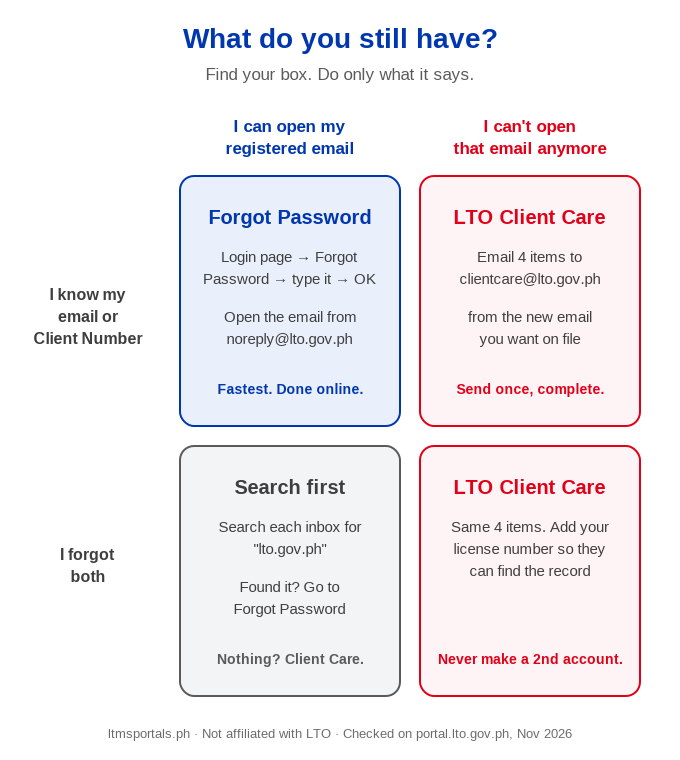
Forgot your LTO portal login password? Tap Forgot Password on the LTMS login page, type your email or 15-digit LTO Client Number, and the LTO emails you a link to set a new one. It takes a few minutes. If you can't open that email anymore, LTO Client Care can move your account to a new address once you send four things, and you'll find all four below.
One rule before anything else: don't make a second account. It feels faster. It really isn't.
Reset your LTO portal login password with Forgot Password
If you can still open your registered email, the LTO portal login password reset is all self-service: Forgot Password, your email or Client Number, OK, then the link in the "LTO - Public Portal - Password Change" email.
Here's each screen, in order.
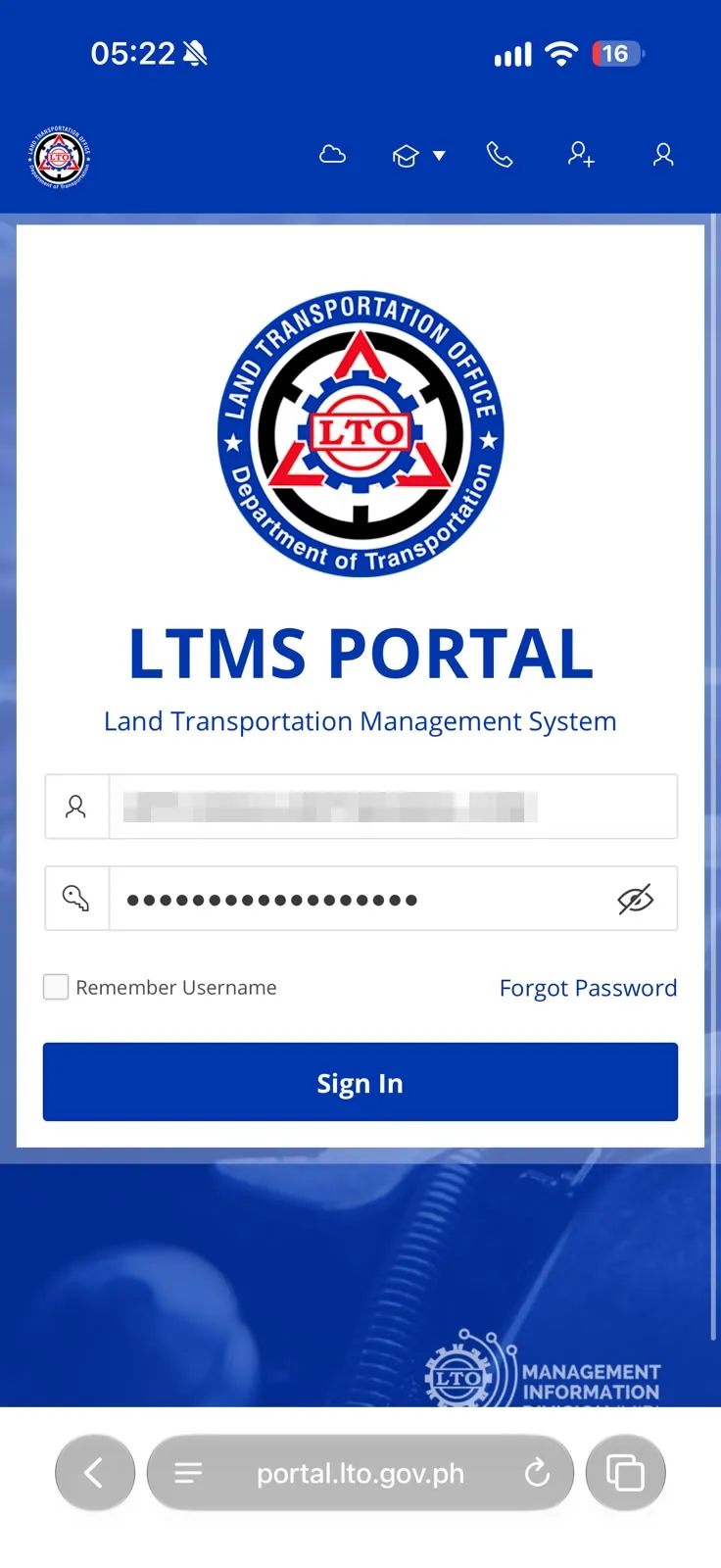
- Open the official login page. Go to portal.lto.gov.ph ↗ and tap the person icon at the top right. Before typing anything, check the address bar says
portal.lto.gov.ph. Lookalike sites exist.
-
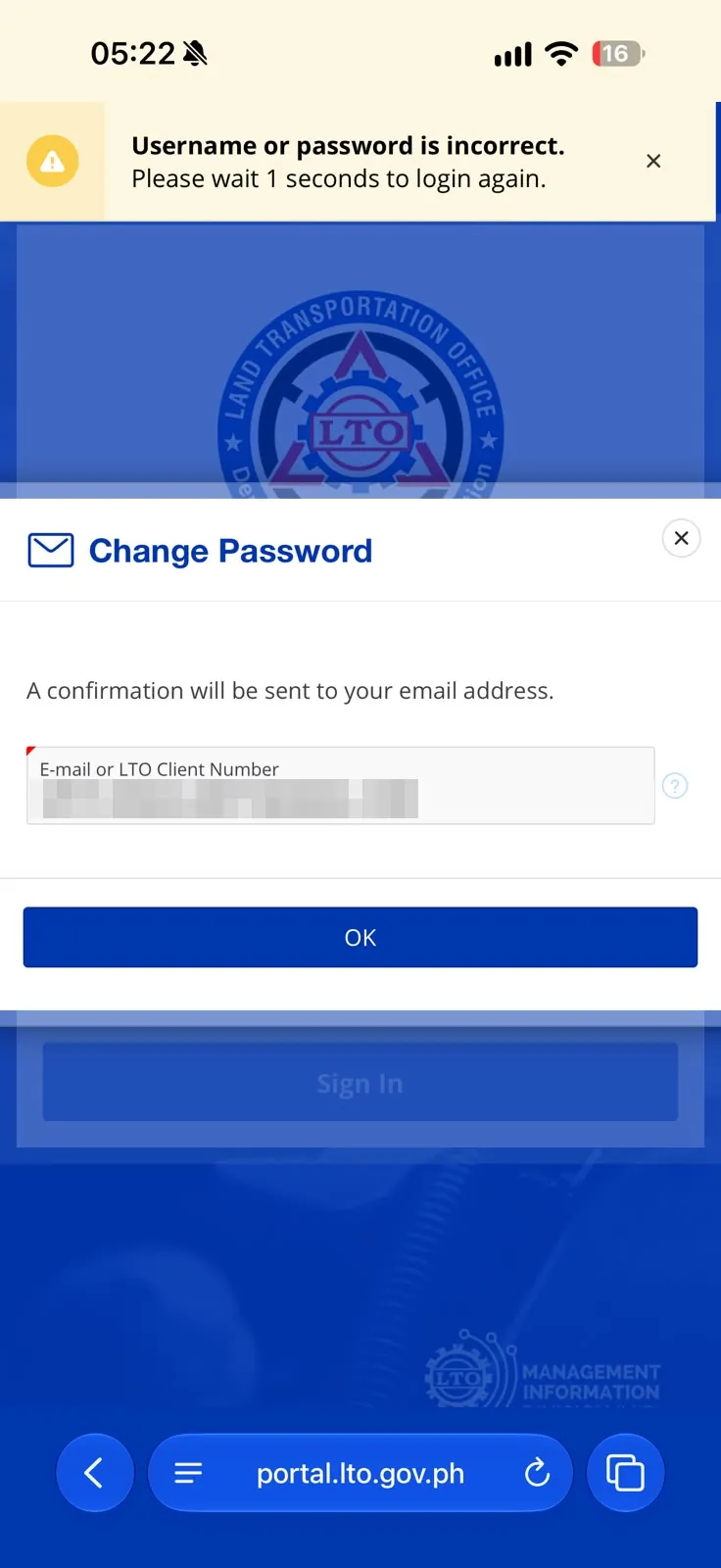
Tap Forgot Password. A small window opens, and it's titled Change Password, not "Forgot Password". Same thing. It tells you, "A confirmation will be sent to your email address."
-
Type your email or Client Number in the box labelled E-mail or LTO Client Number, then tap OK. Either one works. Not sure which email you used but you've got the Client Number saved somewhere? Use the number.
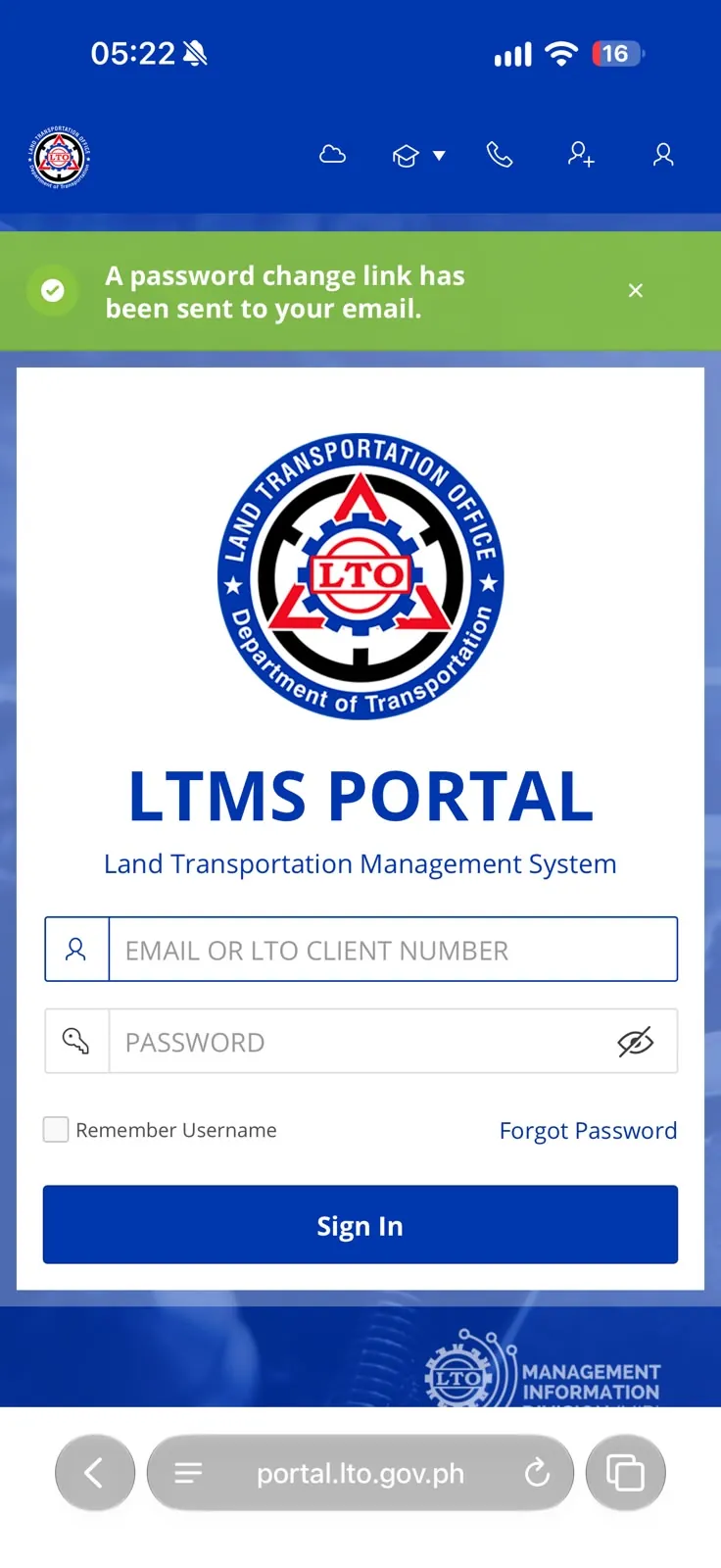
- Wait for the green banner. It says, "A password change link has been sent to your email." No banner means the request didn't go through, so tap OK once more.
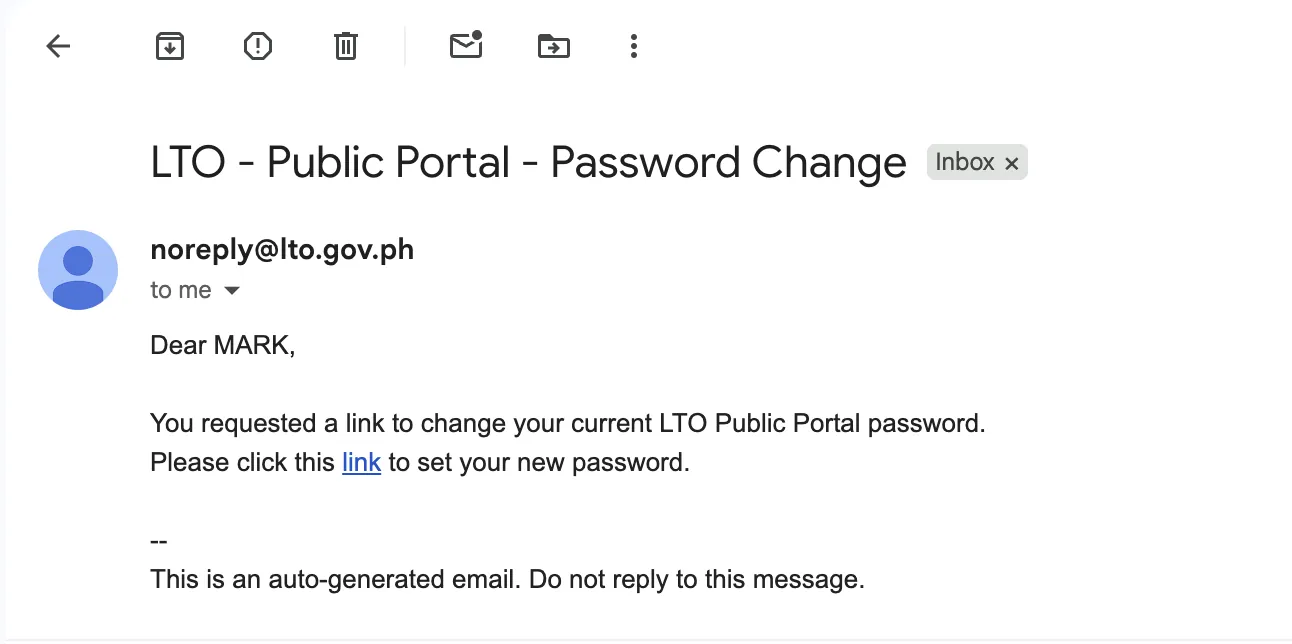
- Open the email from [email protected]. The subject line is LTO - Public Portal - Password Change. It greets you by first name and has a single blue link. Tap it. In the screens on this page, the email arrived about three minutes after tapping OK.
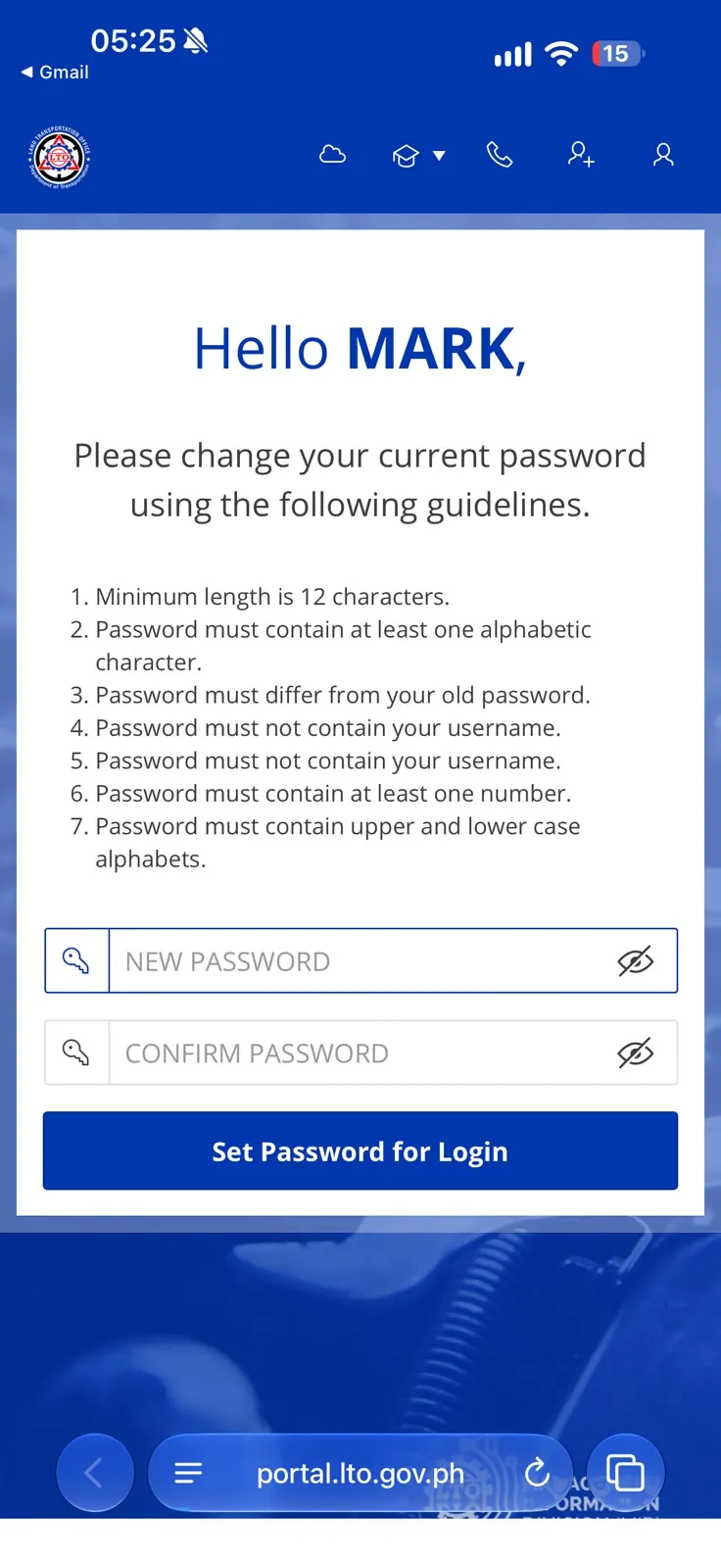
- Set the new password, then sign in. The page opens with "Hello [your name]" and a list of rules. Type the new password under NEW PASSWORD, again under CONFIRM PASSWORD, and tap Set Password for Login. A green message confirms it: "You have successfully set a new password. You may now log in using your new password."
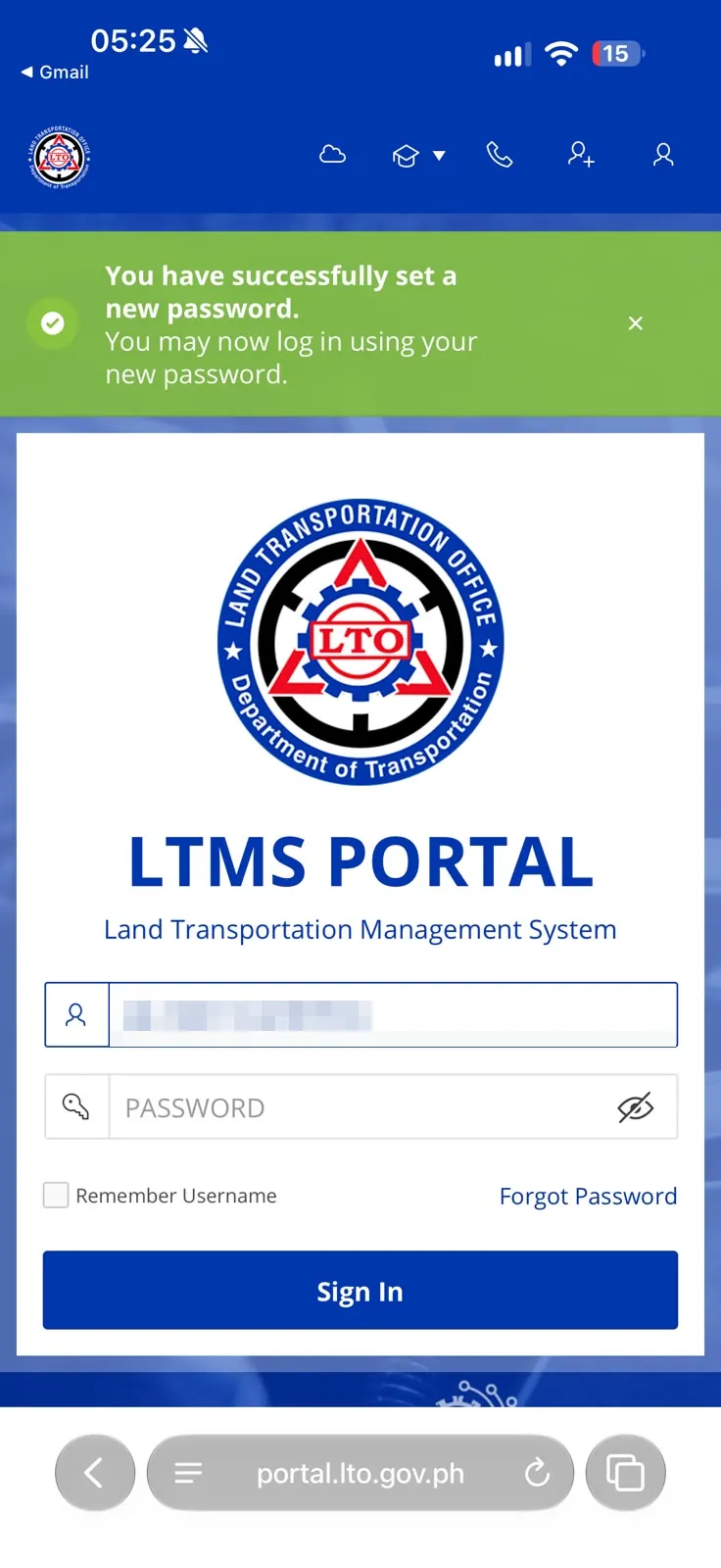
Look at that last screen closely. The portal hands you your Client Number, the 15-digit number shaped like 00-000000-0000000. Screenshot it or copy it into your phone notes. My honest advice: log in with the Client Number from now on. It never changes, while email addresses get abandoned.
The password rules right now
The reset page lists these (checked 24 November 2026):
- At least 12 characters
- At least one letter, and both upper and lower case
- At least one number
- Different from your old password
- Doesn't contain your username
A lot of older guides still say 8 characters. That's outdated, and it's why some people get stuck on this step. Something like Mabuhay2026Kalye passes. juan1234 doesn't, on four counts.
How to change your password in the LTMS portal when you still remember the old one? Use this exact same Forgot Password flow. It's the one route that's clearly on the login screen, and it works whether you forgot the password or just want a new one.
Prefer to watch it once first? This walkthrough also shows where the Client Number appears after a reset:
Mas gusto sa Tagalog? Gala Era's walkthrough, "Paano marecover ang LTMS portal password?" ↗, covers the same flow. It's from 2021, so the screens look older, but the steps haven't changed much.
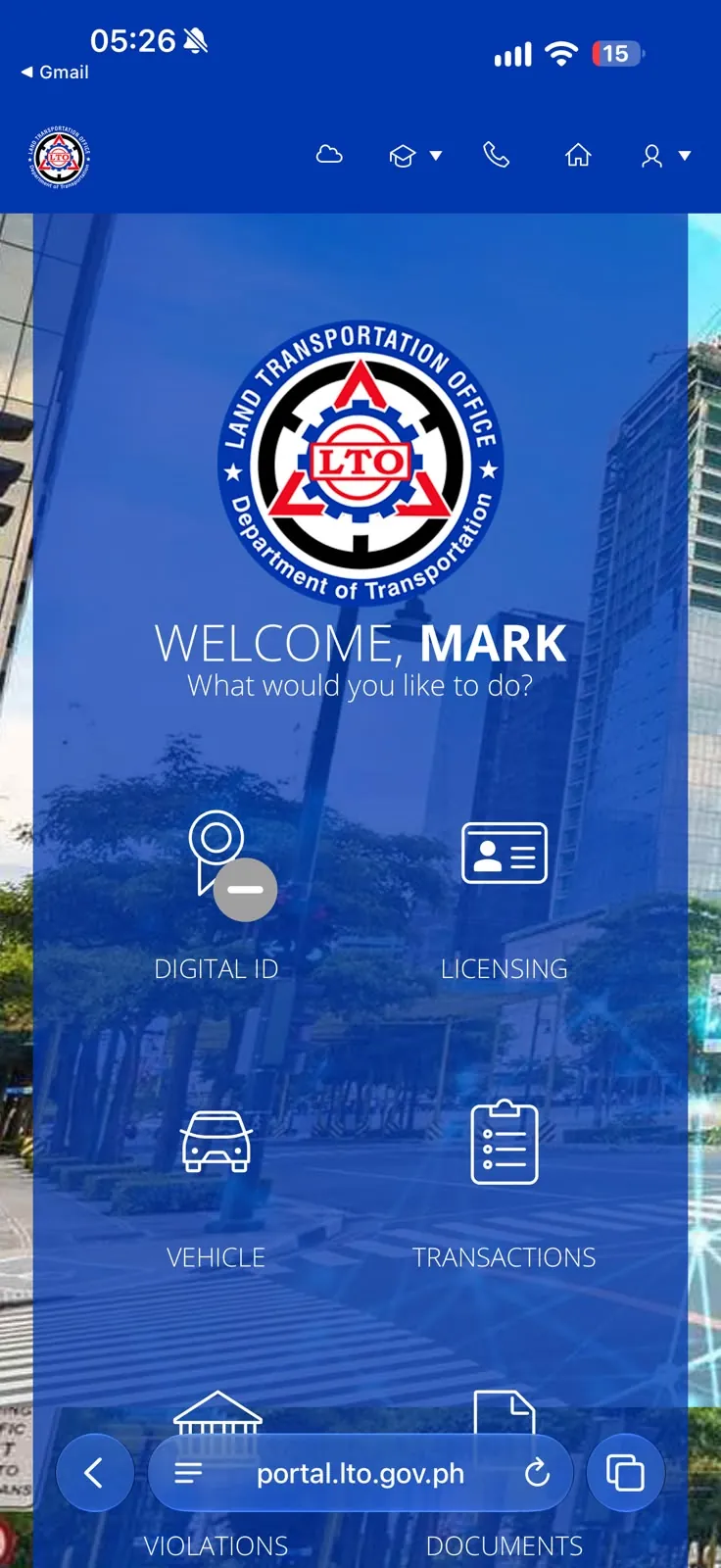
Once you're in, the dashboard shows Digital ID, Licensing, Vehicle, Transactions, Violations, Documents and Profile. Were you halfway through something when you got locked out? Pick it back up: license renewal on the LTMS portal or the CDE online validation exam.
When the reset email doesn't show up
Most missing reset emails are sitting in spam, or they went to an email address you forgot you used. Give it a few minutes, then go down this list in order.
- Search, don't scroll. In Gmail, type
lto.gov.phin the search bar at the top. That checks Spam, Promotions and Updates at once. On Yahoo or Outlook, open the Spam or Junk folder yourself. - Use only the newest email. Tapped Forgot Password four times out of frustration? Now you have four emails. Open the one that came last. The portal doesn't say how long a link stays valid, so older ones may not work.
- Check the spelling. One wrong letter and the request lands nowhere. If you typed your email, try the Client Number instead, or the other way round.
- Think about who registered you. Car and motorcycle dealers sometimes create LTMS accounts using their own office email. If a casa or an agent handled your first registration, ask them which address they used.
- The portal may be the problem. LTMS had serious outages in 2026. If the green "link has been sent" banner never appears at all, the fault is on LTO's side. Try again later, not twenty times now.
Still nothing? Then the email on file is either wrong or out of reach. Keep reading.
Forgot the email you registered with, or your Client Number
If you don't know which email your LTMS account uses, search your old inboxes for lto.gov.ph before anything else. The original verification email tells you which address owns the account.
It's common. Lots of people registered once for a student permit years ago and never logged in again. Maybe it was that Yahoo address you made in high school.
Try these, cheapest first:
- Search every inbox you've ever had for
lto.gov.ph. Old LTO notices and the registration email both show which address the account belongs to. - Hunt for the Client Number. It's 15 digits in the
00-000000-0000000format. It is not your license number. Someone who's logged in to your account before (a dealer, a family member who helped you) may have it. - Try Forgot Password with each likely email. If the green banner appears and an email lands, that's your account.
Got the Client Number but still no idea about the email? Use the number in Forgot Password anyway. Just remember the link still goes to the registered email, so you need to be able to open it.
Found nothing at all? Don't register again. Client Care can find your record from your name, birth date and license number, which is the next section. For more on where the Client Number shows once you're logged in, see the LTO Client Number explainer on our LTMS guide.
How to recover your LTMS account without access to your email
If you can't open your registered email, Forgot Password can't help, because the reset link only ever goes to that address. Email LTO Client Care at [email protected] with four items, and they can change or retrieve your account.
This covers the old Yahoo you can't get into, a work email you lost when you changed jobs, a dealer's inbox you'll never see, and that address your nephew set up and forgot the password to.
In its replies to people who asked through the government's FOI portal, the LTO points them to [email protected] and lists the same requirements every time. It also says it won't release account details through FOI requests, citing the Data Privacy Act. So skip the FOI route. It ends with a referral to Client Care anyway.
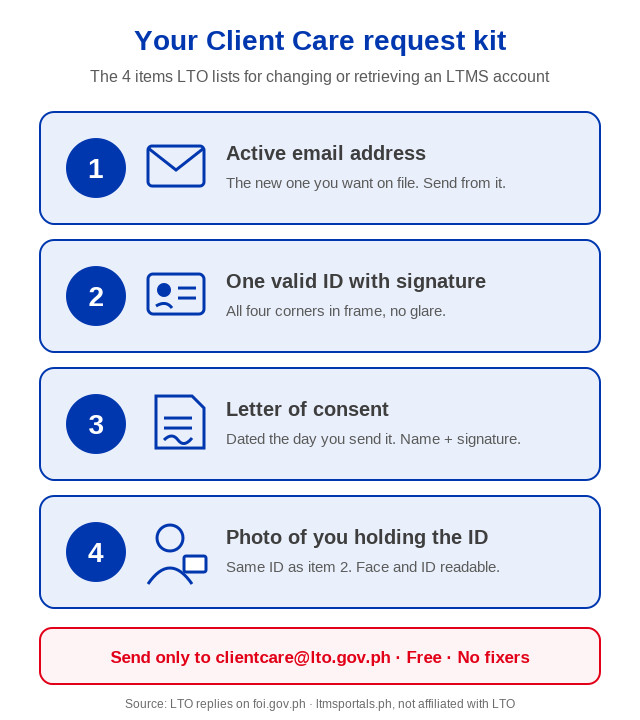
What LTO Client Care asks for
| Item | What "good" looks like | What gets it bounced back |
|---|---|---|
| Active email address | The new email you want on your account. Send the request from it. | Using another address you might also lose |
| One valid ID with your signature | Government-issued ID, signature visible, all four corners in the photo | Cropped corners, flash glare over your name |
| Letter of consent | Says you allow LTO Client Care to change or retrieve your LTMS portal account. Your name, your signature, and the date you send it | No date, or a date from last week |
| Current photo of you holding the ID | Your face and the same ID, both readable, in one shot | A different ID from item 2, or a blurry selfie |
Source: LTO replies on foi.gov.ph, 2023–2024. LTO doesn't publish a processing time.
A handwritten letter on bond paper is fine. A typed one you print and sign works too. What matters is the signature and the date. If you write it tonight and send it tomorrow, redo the date.
Add your license or student permit number even though it's not on LTO's list. It gives Client Care something firm to match your record against, which helps a lot when the old email is completely forgotten.
Write your request in two minutes
Pick your situation and fill in what you know. The tool writes the email, the subject line and the letter of consent, and can open everything in your email app.
Client Care Request Builder
Fill in what you know. Your email, subject line and letter of consent appear below, ready to copy. Everything stays in your browser. Nothing is saved or sent by this page.
1. Subject line
2. Email body
3. Letter of consent (print, sign, photograph)
4. Before you press Send
- I'm sending from the new email I want on the account
- ID photo: signature visible, all four corners in frame, no glare
- Letter is signed and dated today
- Selfie shows my face and the same ID, readable
- The To: line says [email protected], nothing else
Your email app opens with the subject and message filled in. Attach the 3 photos yourself; links can't attach files.
Before you press Send
Client Care handles account problems from all over the country. Sending the same email five times doesn't move you up the line. It just gives someone five emails to read.
Check these first:
- The To: line says
[email protected]and nothing else. - You're sending from the email you want on the account.
- All three attachments are there: the ID, the signed letter, and the photo of you holding the ID.
- You can read the name on the ID in every photo.
Then wait. If a week goes by with no reply, reply to your own sent email (same thread) with a short, polite follow-up, so your attachments stay together.
Don't send your ID to anyone else
Search "LTMS account recovery" on Facebook and you'll find pages offering to do it for a fee. Skip them. Client Care recovery is free, and nobody at the LTO needs your password. Anyone asking for your ID and your password is collecting both for their own use.
Same goes for any website other than portal.lto.gov.ph that asks you to "log in to check your account". That includes this site. We'll never ask for your login.
Changing your email, name, birthdate or other details
Your password you can change yourself. Your registered email goes through Client Care. Name, civil status and birthdate changes go through an LTO office, because they touch your license record.
| What you want to change | Where it's done | What to know |
|---|---|---|
| Forgotten password | Forgot Password on the login page | Email or Client Number; the link goes to your registered email |
| Password you still remember | Same Forgot Password flow | The route that's on the login screen for everyone |
| Registered email | LTO Client Care | The route LTO itself names for account changes and retrievals |
| Mobile number | Your LTMS Profile first | If the field won't let you edit it, put the new number in your Client Care email |
| Name (married name, correction) | LTO office, Revision of Records | "Change Name" is listed under Revision of Records on LTO's application form. Bring your license and the PSA document behind the change. |
| Civil status | LTO office, Revision of Records | Listed on the same form as "Change Civil Status" |
| Birthdate or address on your record | LTO office | Bring your PSA birth certificate for a birthdate fix. Ask the office for its current list before you go. |
| Anything else in Profile you can't edit | LTO Client Care | Say exactly which field and what it should be |
| Two accounts | LTO Client Care | See the next section |
Why can't you just retype your name in Profile? Because your LTMS account sits on top of your license record, and the LTO wants papers before that record changes. A bit of a hassle, yes. It also means nobody else can rename your license from their phone.
"LTO portal account already registered": don't make a second one
If the portal says your details already exist when you try to sign up, you already have an LTMS account. Recover it instead of registering again.
Usually you made it years ago for a student permit, or a dealer made it when you bought your car or motorcycle.
The tempting move is to change one small detail and sign up again. Please don't. Your license, violations and vehicles sit on one record. A second account can leave your new login looking empty while your real history stays on the old one. Then Client Care has two accounts to untangle instead of a password to reset.
Do this instead:
- Try Forgot Password with every email you might have used, and with your Client Number if you have it.
- If one works, you're in. Done.
- If none works, open the request tool above and pick "I have two LTMS accounts / it says I'm already registered". Client Care can tell you which account holds your record.
Registering for the very first time and hitting this? Read the step-by-step LTMS sign-up guide first. A typo in your license expiry date can cause trouble too.
Locked out, or the login keeps rejecting you
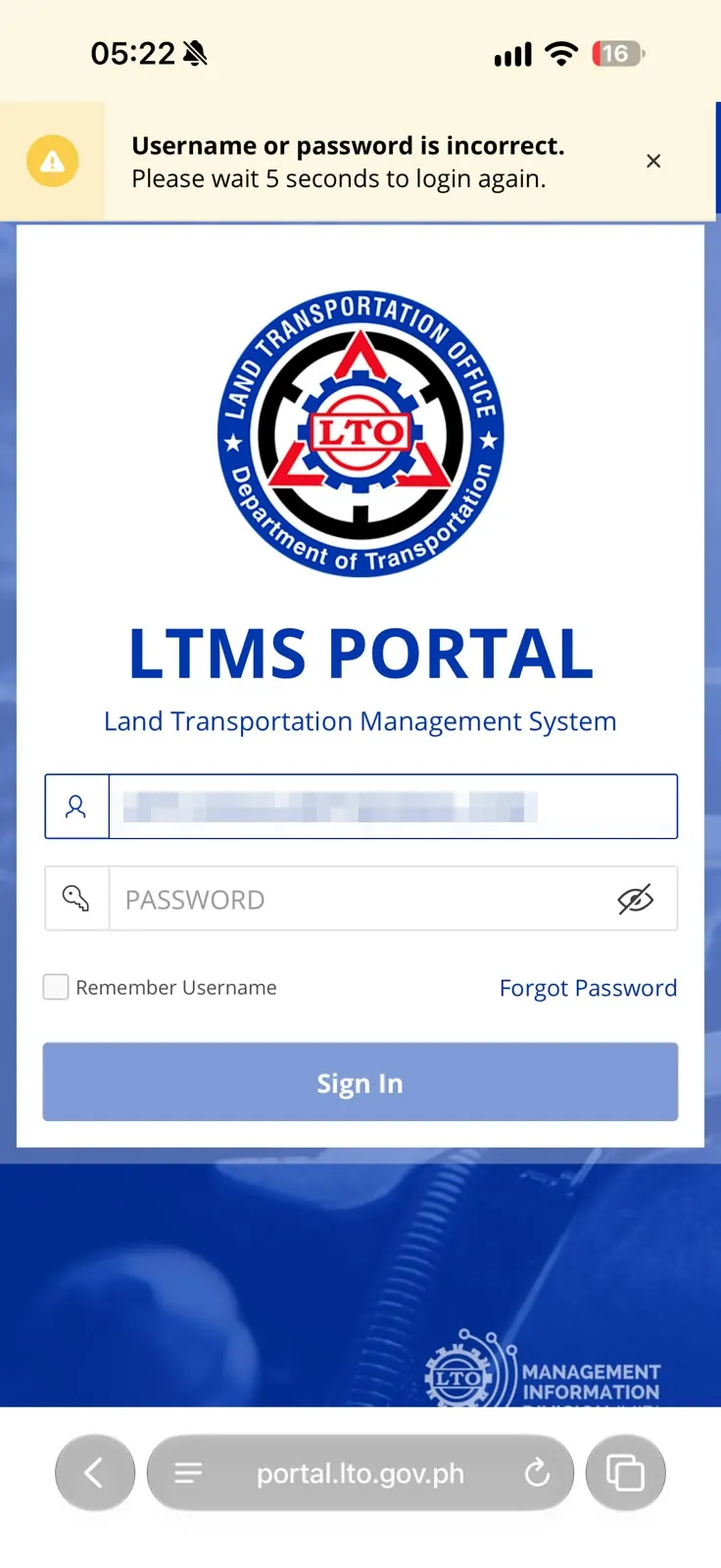
A wrong password brings up a yellow banner and a short countdown before you can try again. LTO doesn't publish how many tries it allows, so stop after two and reset instead.
The banner reads "Username or password is incorrect. Please wait 5 seconds to login again." While it counts down, the Sign In button turns pale and won't respond.
| What you see | What it usually means | What to do |
|---|---|---|
| "Username or password is incorrect. Please wait 5 seconds to login again." | Wrong password, wrong email, or a typo in the Client Number | Check Caps Lock and the dashes in the Client Number, then use Forgot Password |
| Sign In button pale and unresponsive | The countdown after a failed try is still running | Let the seconds run out |
| No green banner after tapping OK in Change Password | The reset request didn't go through | Try once more. If it fails again, the portal may be down. |
| Green banner, but no email after 15 minutes | Wrong registered address, or the email is in spam | Search lto.gov.ph, then see when the reset email doesn't show up |
Two more checks when the right password still fails. Your browser might be autofilling an old password, so clear the box and type it fresh. And while the username box ignores capitals (the portal turns your email to uppercase anyway), the password box doesn't.
Can you delete or deactivate an LTMS account?
There's no delete option on the login or reset screens, and the LTO doesn't publish a self-service way to close an account. To close a duplicate, or one someone else made with your details, ask Client Care.
Honestly, you probably don't want a plain delete anyway. Your LTMS account is the online door to your license and vehicle records. Removing the door doesn't remove the records, and you'd need a new door the next time you renew.
When you email Client Care about a duplicate, send the same four items and say which account should stay.
Still stuck? Short answers
Is there a default LTMS password?
No. You set your own, first through the link in the verification email when you register, and later through a reset link. Anyone handing you a "default password" isn't from the LTO.
Can I log in with my driver's license number?
No. The login box takes your email or your 15-digit LTO Client Number only. Your license number lives in your profile. See how to log in to the LTMS portal for the full sign-in steps.
Can the LTO tell me my old password?
No. A reset doesn't show your old password; it lets you set a new one. The LTO also says in its FOI replies that it won't release account details that way, because of the Data Privacy Act.
How long does Client Care take to reply?
The LTO doesn't publish a timeframe. Send one complete request, then follow up in the same thread after a week. If your license or registration is about to expire, mention the date in one line.
Can my dealer or a fixer reset it for me?
They can't do anything you can't do yourself, and you'd be handing over your ID and your email. A reset takes a few minutes on your own phone. Client Care recovery costs nothing.
So you never need this page again
Two minutes now beats another lockout during renewal season:
- Save your Client Number in your phone notes. It logs you in even after you've forgotten the email.
- Register with an email you'll still have in ten years. A work address dies when you change jobs.
- Keep the password in a password manager, or written somewhere that isn't your memory.
- If a dealer or agent registers you, get the login before you leave the showroom, then reset the password yourself that same day.
That last one saves the most grief. Dealer-made accounts are behind a lot of the "already registered" mess.
Sources
- LTMS Portal login page, Land Transportation Office: https://portal.lto.gov.ph/ords/f?p=1200:LOGIN_DESKTOP
- LTO reply on LTMS account retrieval requirements, FOI portal: https://www.foi.gov.ph/requests/forgotten-email-and-client-id-in-lto-ltms-portal-lto-495469283037/
- LTO reply "For LTMS portal login", FOI portal: https://www.foi.gov.ph/requests/for-ltms-portal-login/
- LTO Application for Permits and License form, Revision of Records section: https://lto.gov.ph/wp-content/uploads/2023/09/APL-Form_v3.pdf
- Data Privacy Act of 2012 (RA 10173), National Privacy Commission: https://privacy.gov.ph/data-privacy-act/